
Knot Connector
Maya · Python · Procedural Modeling
The problem
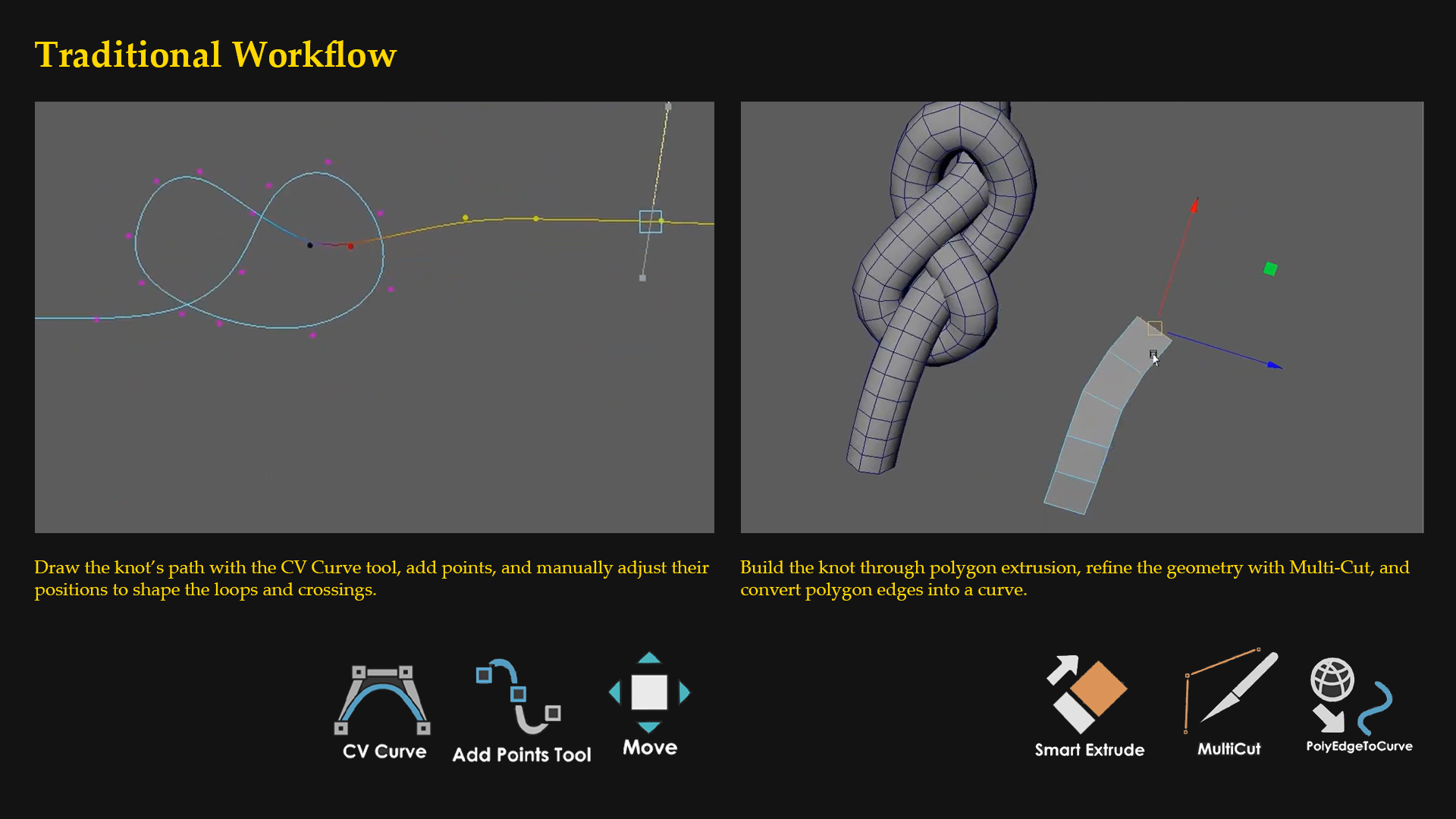
Artists can manually connect rope segments with knots in Maya, but maintaining clean alignment becomes repetitive when endpoints, knot size, or placement change. Larger knots also introduce a fitting problem: a connection method that works at one scale can create overlaps at another.
My goal was to let artists choose a knot from a library, connect it to their curves, and adjust the result without rebuilding everything manually.
For the workflow shown in my demo, I estimate about 30 minutes of manual work versus about 3 minutes with the tool—a potential 90% time reduction. These are preliminary estimates, rather than results from a controlled comparison.
What I built
I worked on the tool’s interface and its curve-generation and connection workflow in Maya using Python.
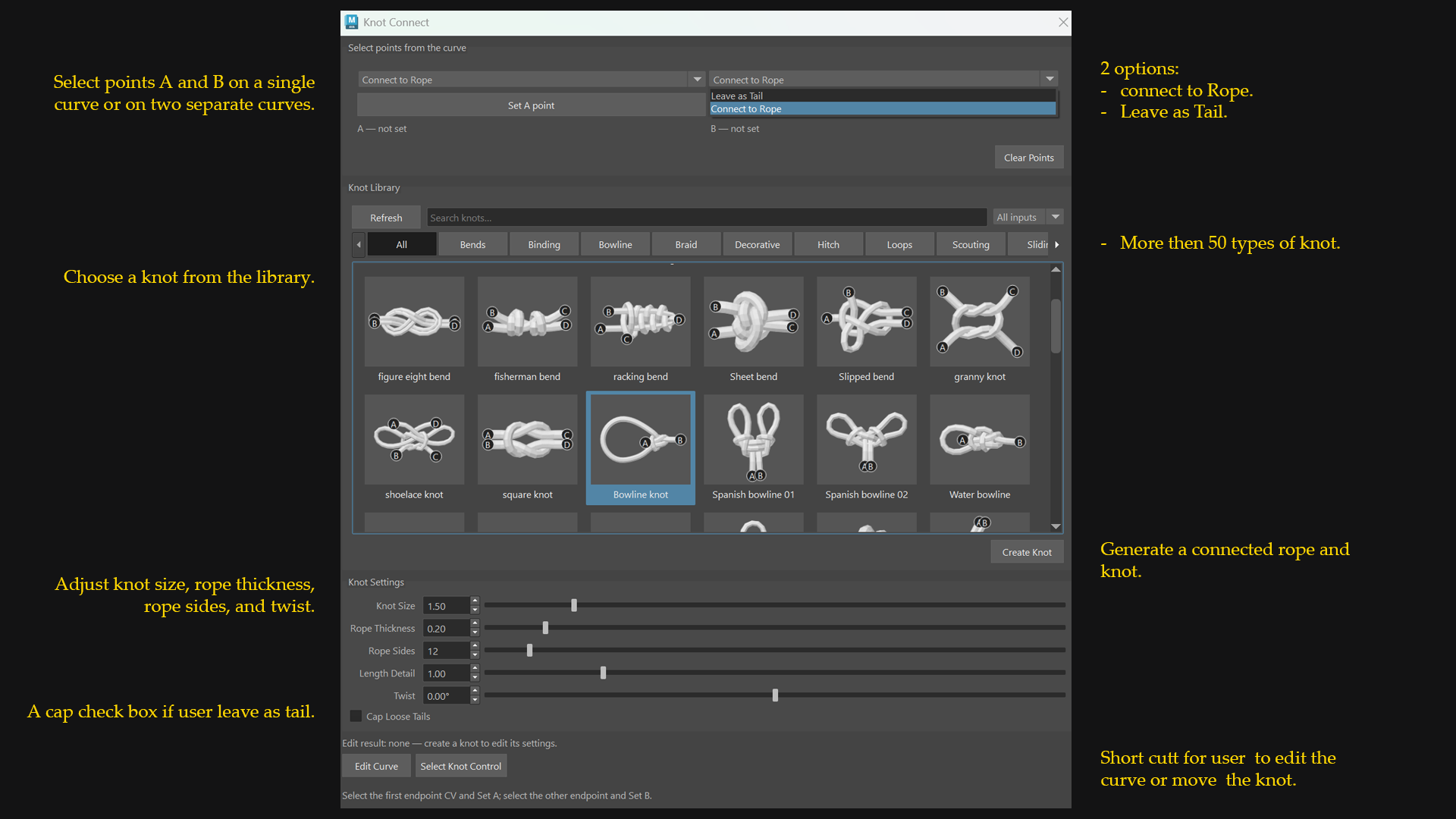
The current workflow lets users:
Select points A and B on a single curve or on two separate curves.
Choose a knot from the library.
Generate a connected rope and knot.
Adjust knot size, rope thickness, rope sides, and twist.
Edit the generated curve to change the rope’s overall shape.
The tool creates a new result while preserving the original input curves. Keeping the output editable was important because artists still need control over how the rope fits their assets.
Testing the workflow
I tested 4 main scenarios:
Connecting the start and end of a single curve.
Leaving one curve point as a tail.
Joining two separate curves.
Creating a knot directly without any curve.
The single-curve test produced a knot and an editable rope curve as expected. The two-curve test exposed the overlap issue and helped me identify where the connection logic needed to change.
My demo shows the current interface and generated Maya results. It demonstrates the implemented workflow; it does not yet establish how much time other artists would save in production.
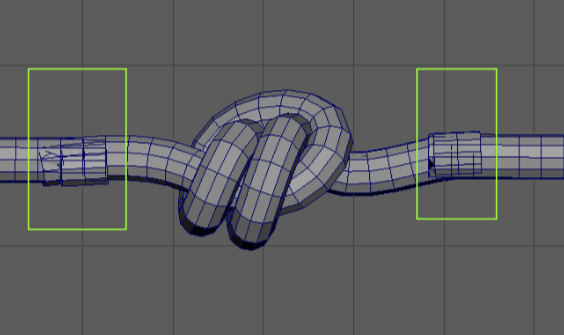
Overlapping geometry caused by scaling up the knot.
What broke along the way
Scaling up the knot exposed a flaw in my original connection logic.
As the knot became larger, the generated rope segments extended too far toward the knot, creating overlapping geometry on both sides.
What I changed
I revised plan_pair() to detect when the planned connection points would fall inside the enlarged knot area. Instead of keeping those points, the function shifts the connection outward until there is enough clearance between the knot and the generated rope segments. This prevents the overlap while allowing the same connection logic to work across different knot scales.
What I learned and what comes next
This project helped me better understand curve manipulation, procedural connections, and the relationship between interface controls and generated geometry.
It also taught me to keep the scope focused. I chose manual selection of points A and B so I could develop and test the core connection behavior before attempting more automation.
My next priorities are to test the tool with other artists, compare the manual and tool-assisted workflows under the same conditions, and use that feedback to improve the tool. I also want to expand the knot library and explore more complex connection scenarios.
Knot Connector is still a work in progress, but it demonstrates the kind of technical art work I enjoy: identifying a repetitive modeling task and building a tool that gives artists a faster, editable starting point.
